
Scalin
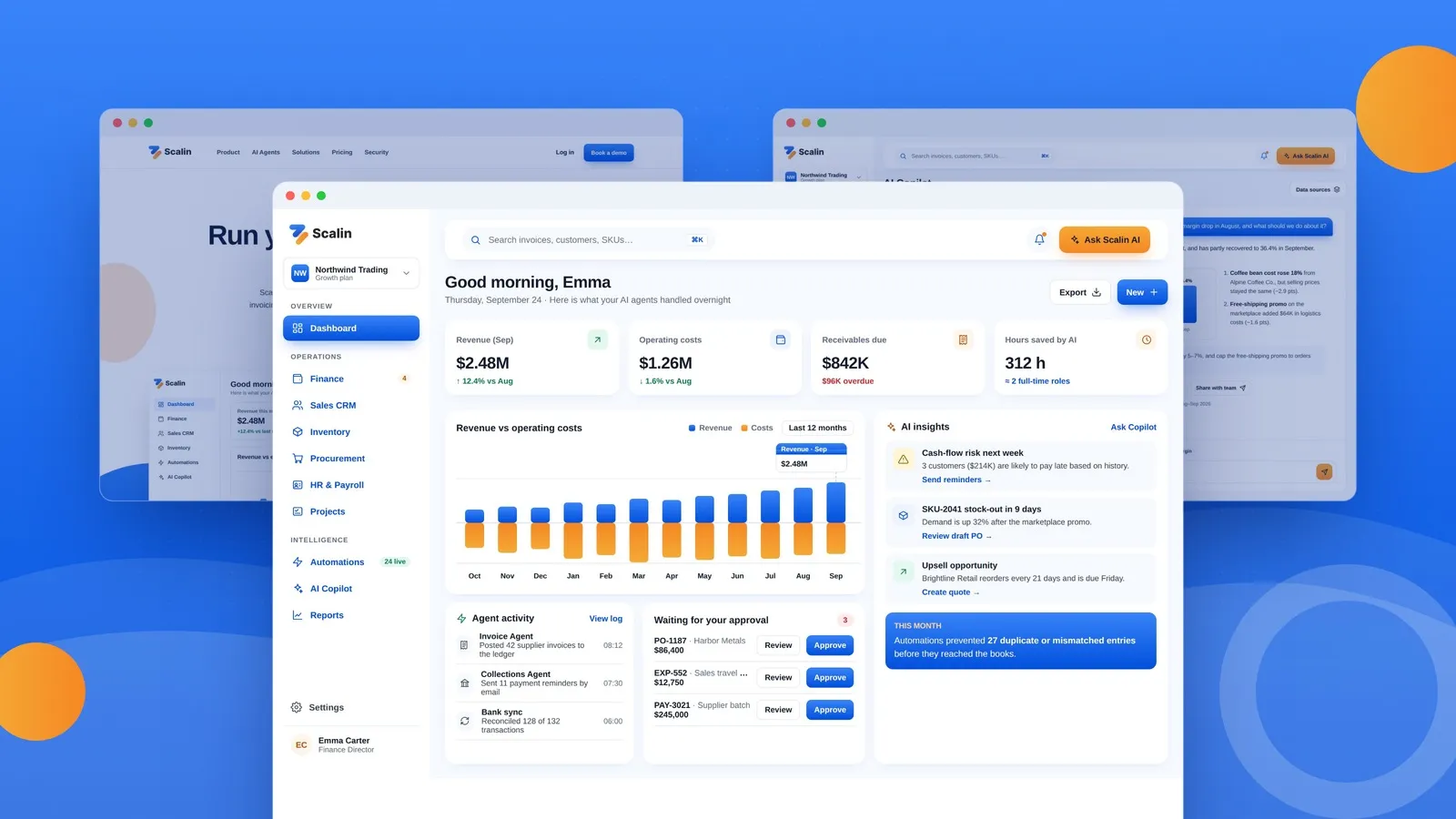
Overview
Scalin is a B2B SaaS platform that brings ERP and CRM together in one place, then puts AI agents to work on the back office. Invoicing, bank reconciliation, inventory planning and sales follow-ups run in the background, so teams spend less, sell more and make fewer mistakes.
This project was a full redesign. An early concept built around separate tools for business management, tasks, community and fundraising was reshaped into a focused back-office automation product, with a complete marketing site and core app experience.
Project at a Glance
- Type: Product design, SaaS web app and marketing site
- Platform: Desktop web
- Industry: B2B software, ERP & CRM, AI automation
- Scope: Positioning, information architecture, design system, landing page, 8 core app screens
The Challenge
Growing businesses often run their back office on spreadsheets, chat threads and disconnected tools. Data gets typed in again and again, month-end close takes weeks, invoices are chased by hand and stock-outs are found too late.
The original concept tried to cover too much at once. The challenge was to give Scalin a clear position and a product experience built around five outcomes customers actually pay for:
- Lower operating costs
- Higher revenue
- Hours saved every week
- Less need for extra headcount as the business grows
- Fewer costly data-entry errors
Design Approach
A sharper product story
The platform was rebuilt around three pillars: one shared data layer for ERP and CRM, AI agents that do the routine work, and a Copilot that answers questions in plain language. Features that didn't serve this story were removed, and task management became a supporting module rather than a headline feature.
An evolved visual identity
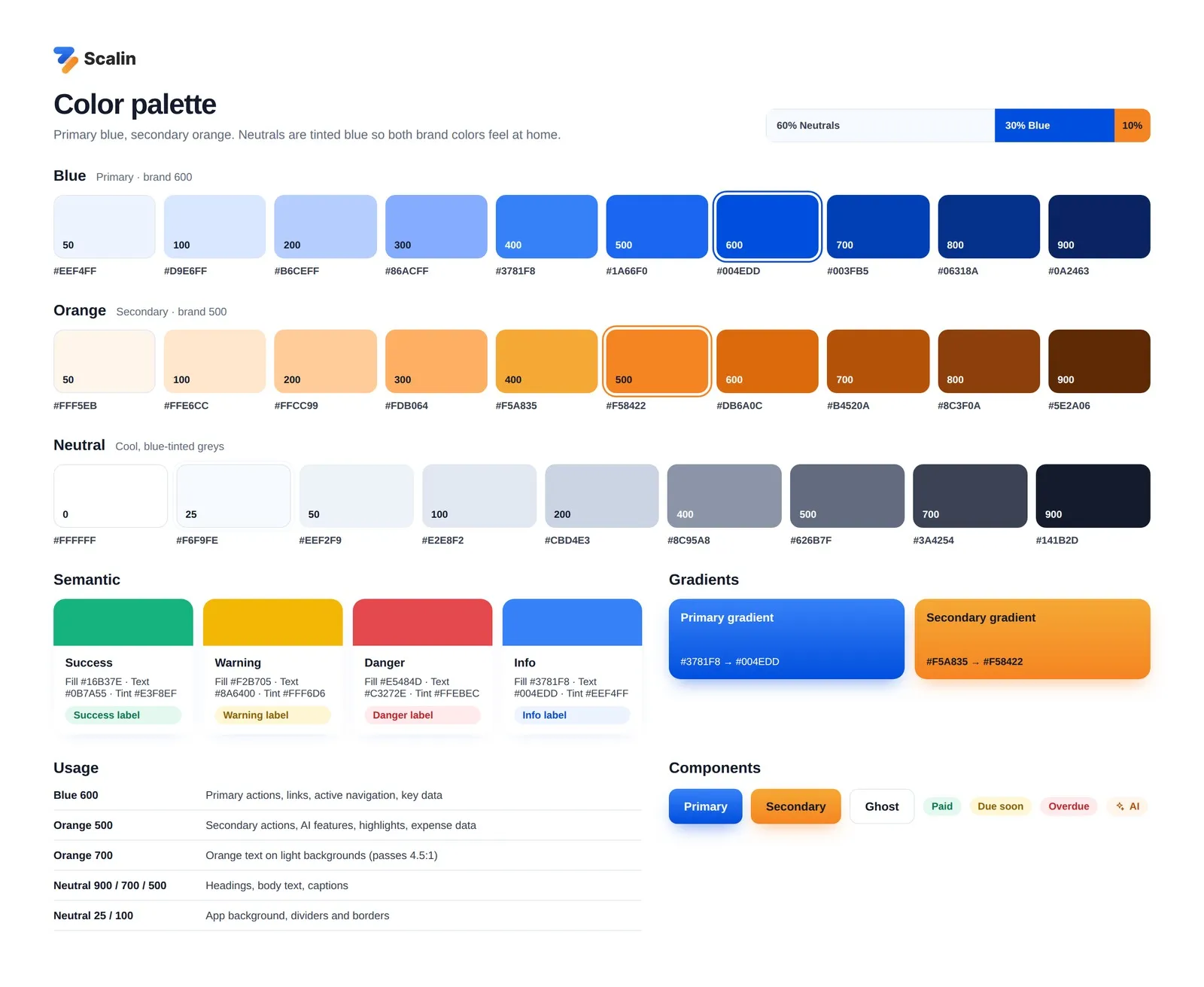
The redesign keeps the equity of the original brand, its blue and orange logo mark and soft gradient style, and turns it into a complete color system:
- Blue is the primary color for actions, navigation and key data.
- Orange is the secondary color for highlights, AI features and expense data.
- Neutrals are cool, slightly blue-tinted greys that tie both brand colors together.
- Semantic colors mark status: success, warning, danger and info.
Colors follow a 60/30/10 balance of neutrals, blue and orange, and every text and button pairing was checked for readable contrast.
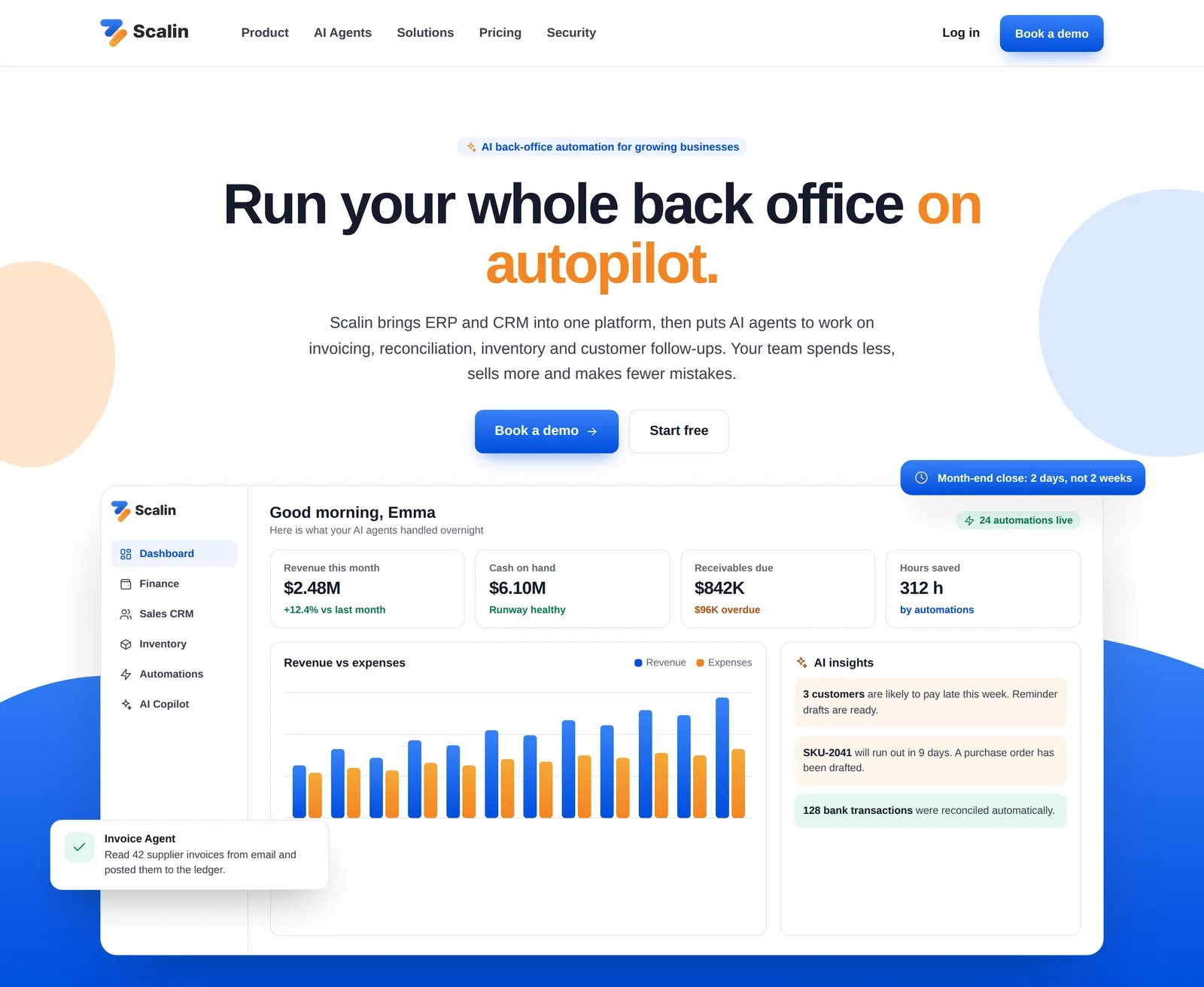
Marketing Site
The landing page follows a clear narrative:
- The promise of a back office that runs on autopilot.
- Five business outcomes.
- A before-and-after comparison of manual work versus Scalin.
- The eight modules.
- The AI agents at work.
- How onboarding works.
- Integrations and security.
- Pricing, FAQ and a demo booking form.
Flowing wave shapes carried over from the original brand give the page a friendly, recognizable rhythm.

Product Experience
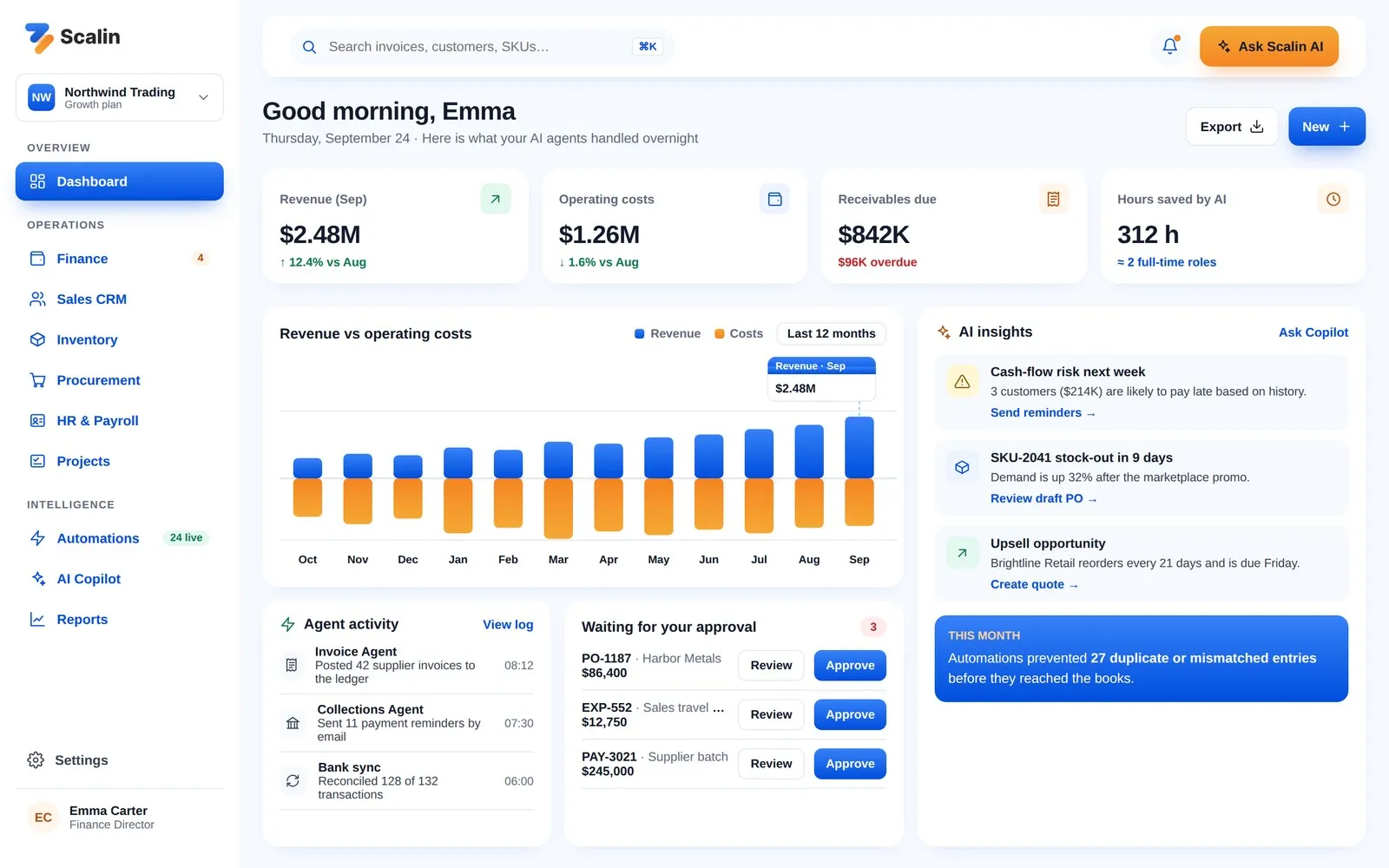
Dashboard
A daily briefing shows revenue, costs, receivables and hours saved by automation. Below that are a revenue-versus-cost chart, AI insights with one-click actions, a live feed of what the agents did overnight, and a queue of items waiting for approval.
Finance
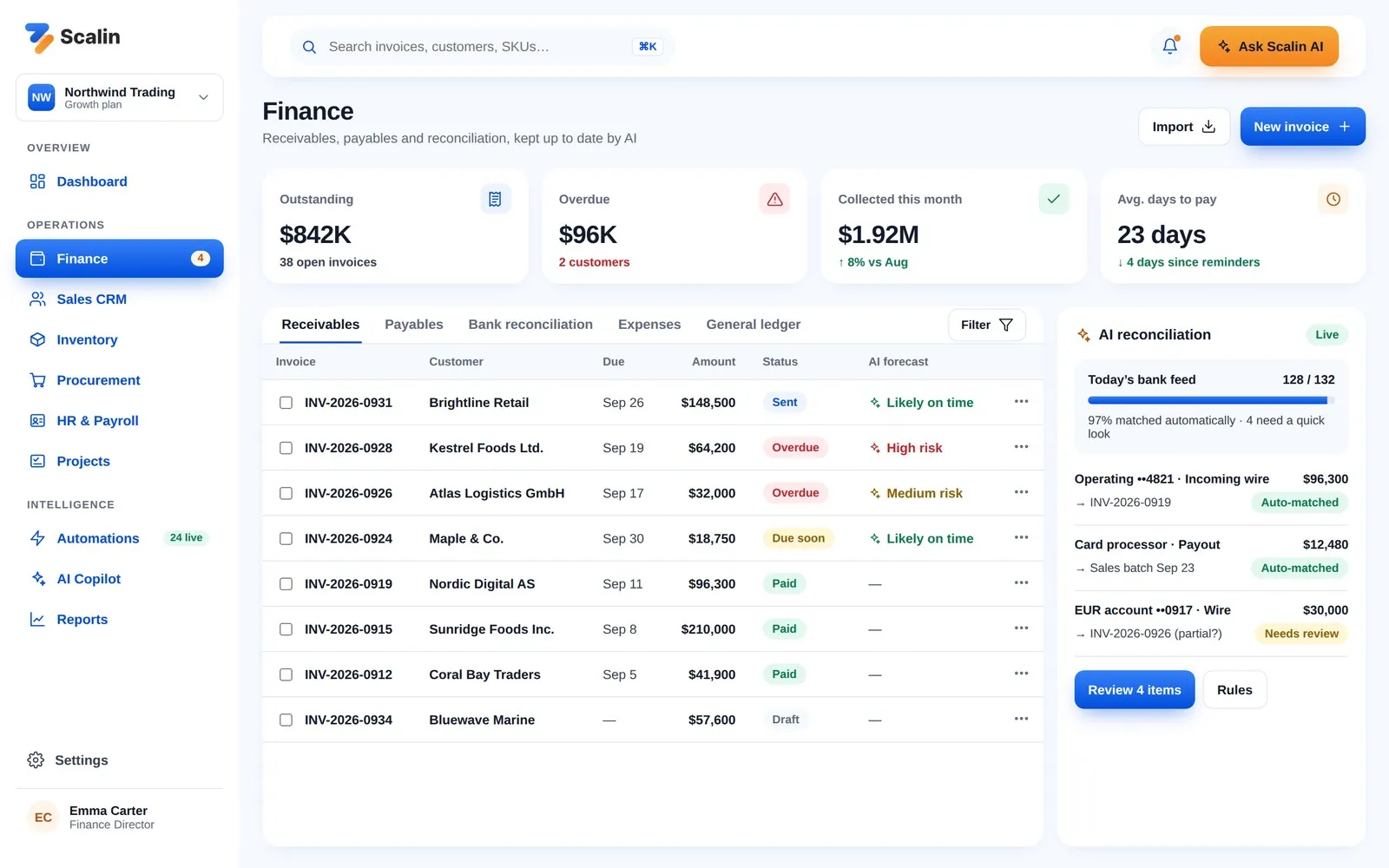
Invoices come with an AI payment forecast that flags customers likely to pay late. A side panel shows automatic bank reconciliation, so the team only reviews the few transactions that need a human decision.
Sales CRM
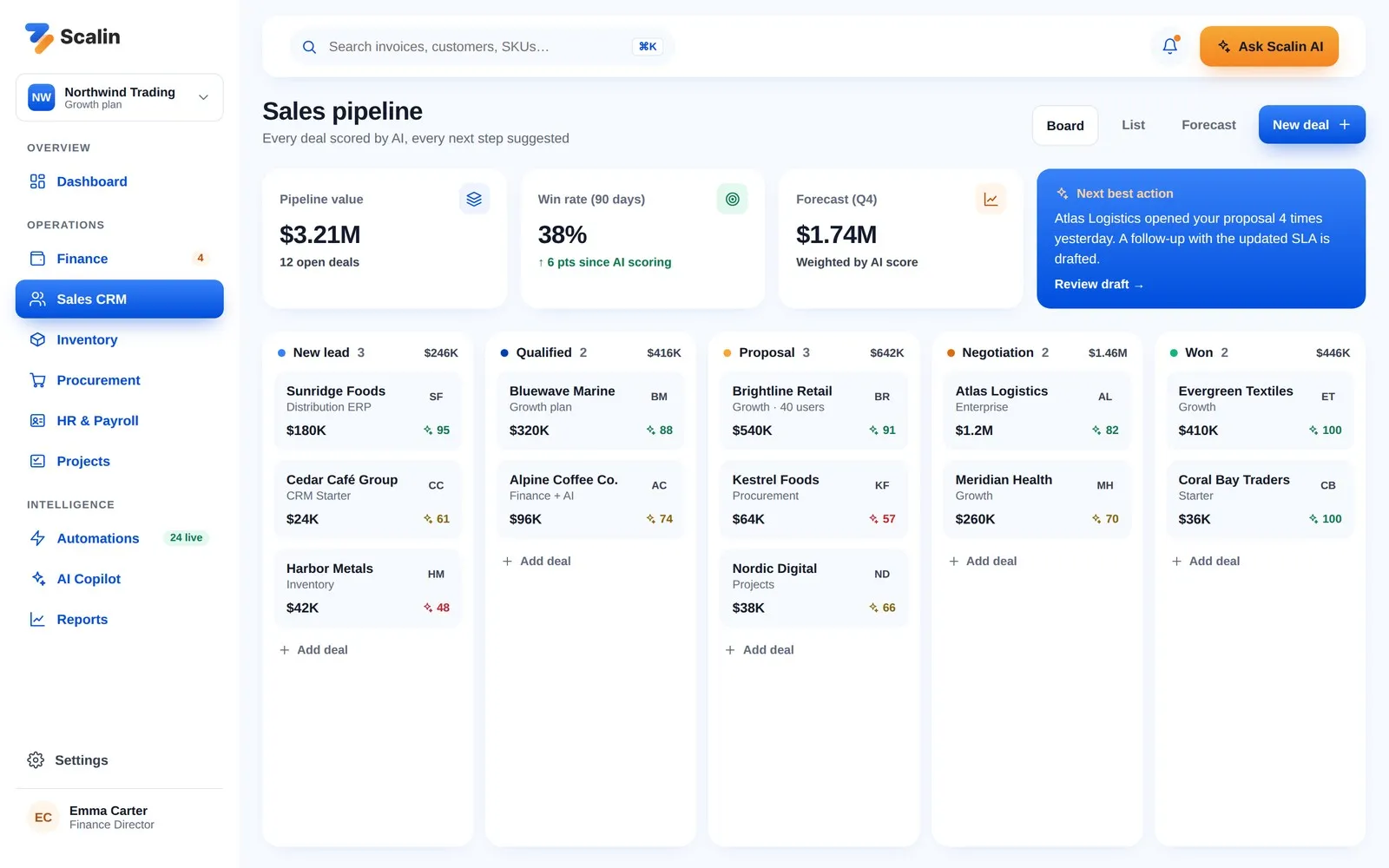
A pipeline board scores every deal with AI and surfaces a "next best action", such as following up with a prospect who just reopened a proposal several times.
Inventory
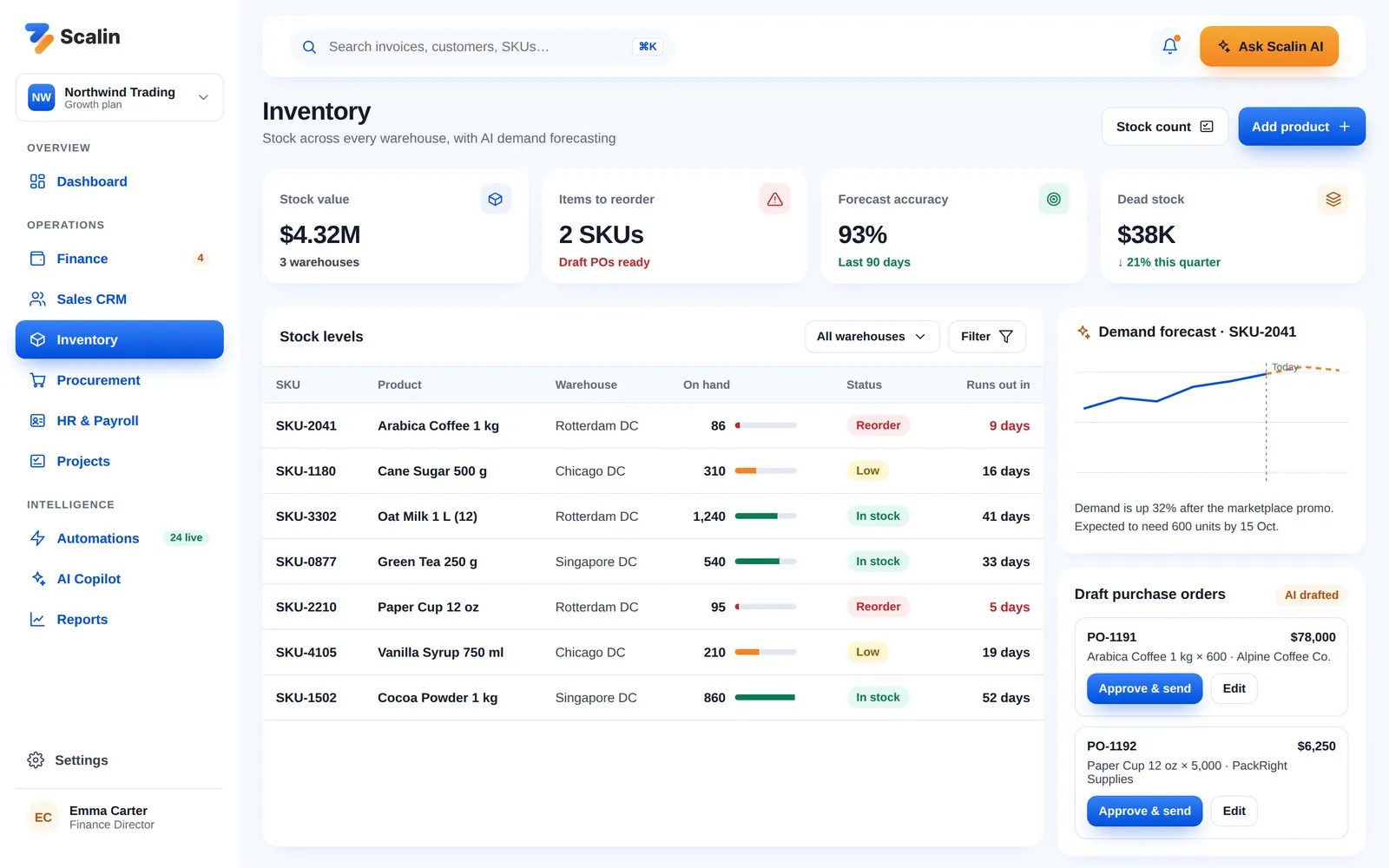
Stock levels across warehouses are shown with clear status labels and a "runs out in" estimate. AI demand forecasts turn into draft purchase orders that can be approved in one click.
Automations
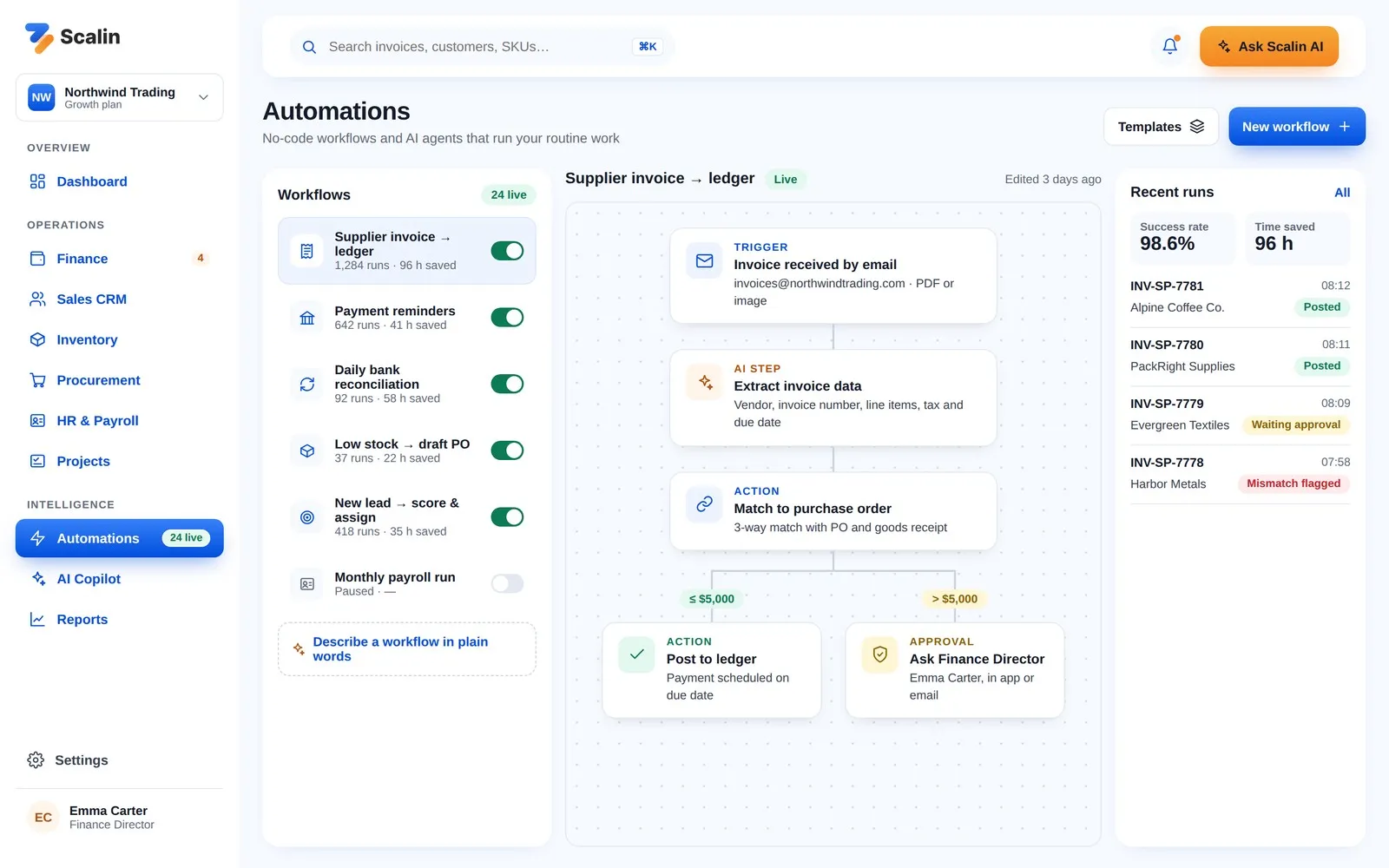
A no-code workflow builder shows exactly what each agent does. For example, a supplier invoice is read from email, matched to a purchase order and either posted automatically or routed for approval based on its amount. Every run is logged with its status and the time it saved.
AI Copilot
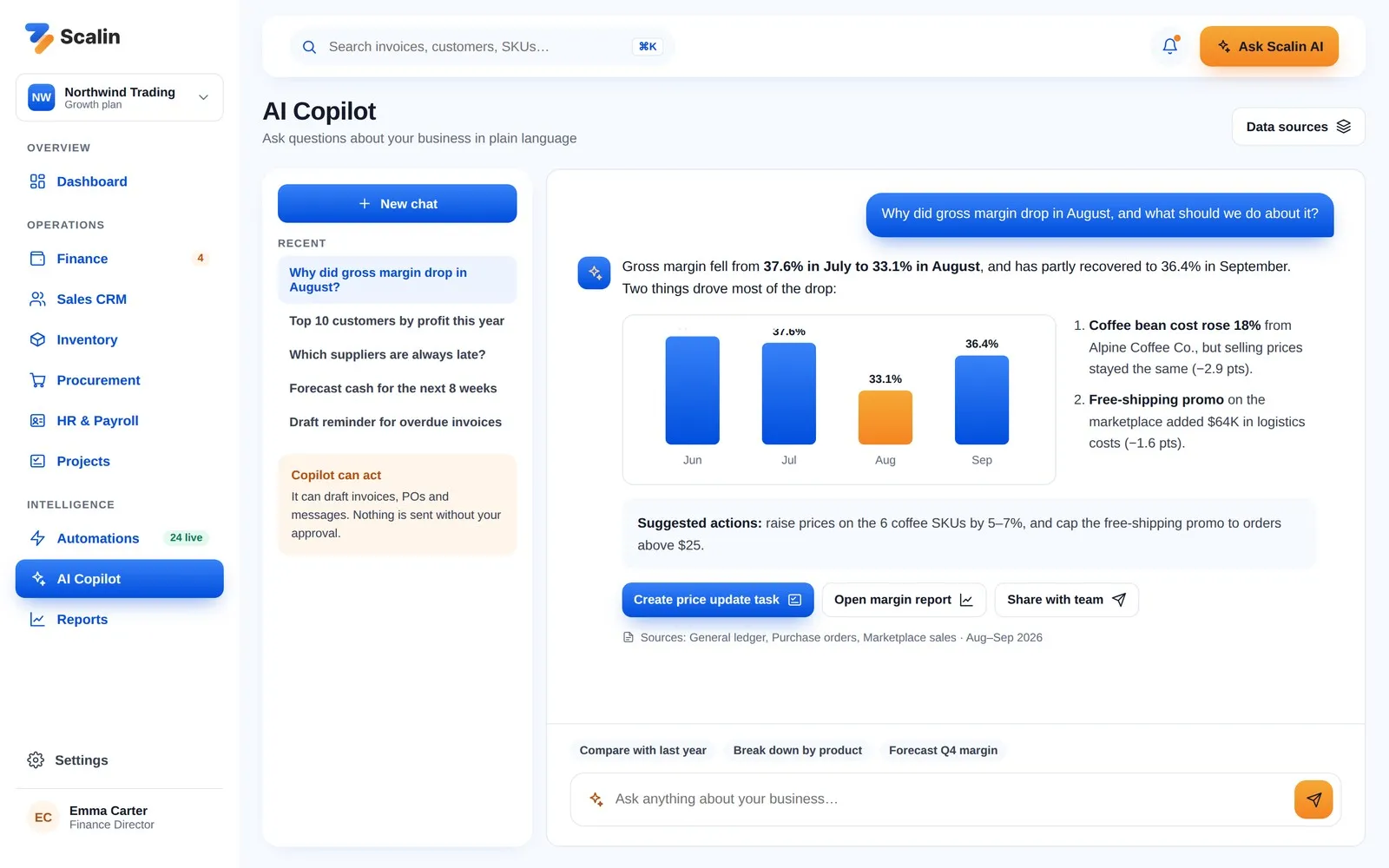
Teams can ask questions like "Why did gross margin drop in August?" The Copilot answers with a chart, the likely causes, suggested actions and the data sources it used. It can draft tasks, invoices or messages, but never sends anything without approval.
Sign-in & Settings
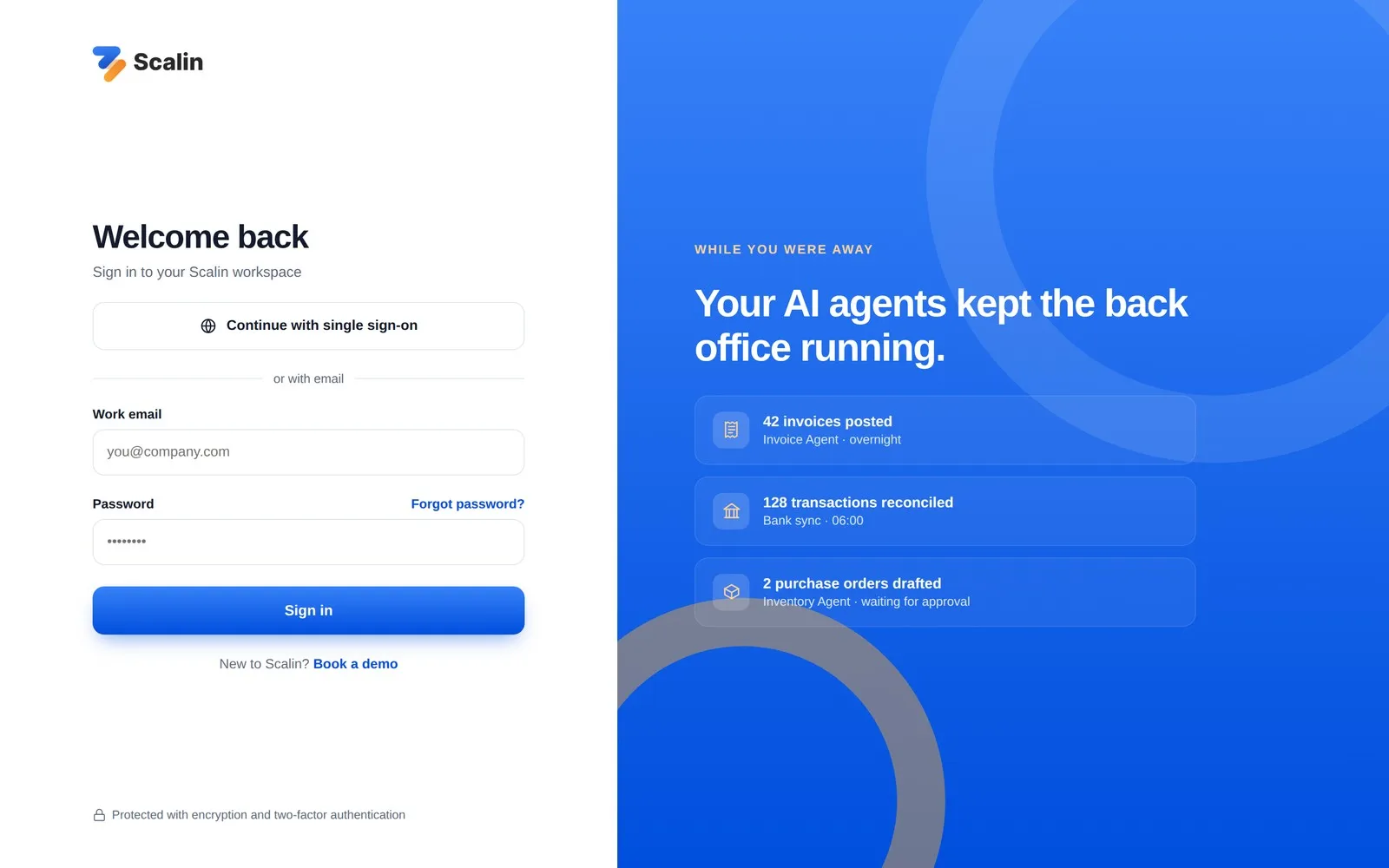
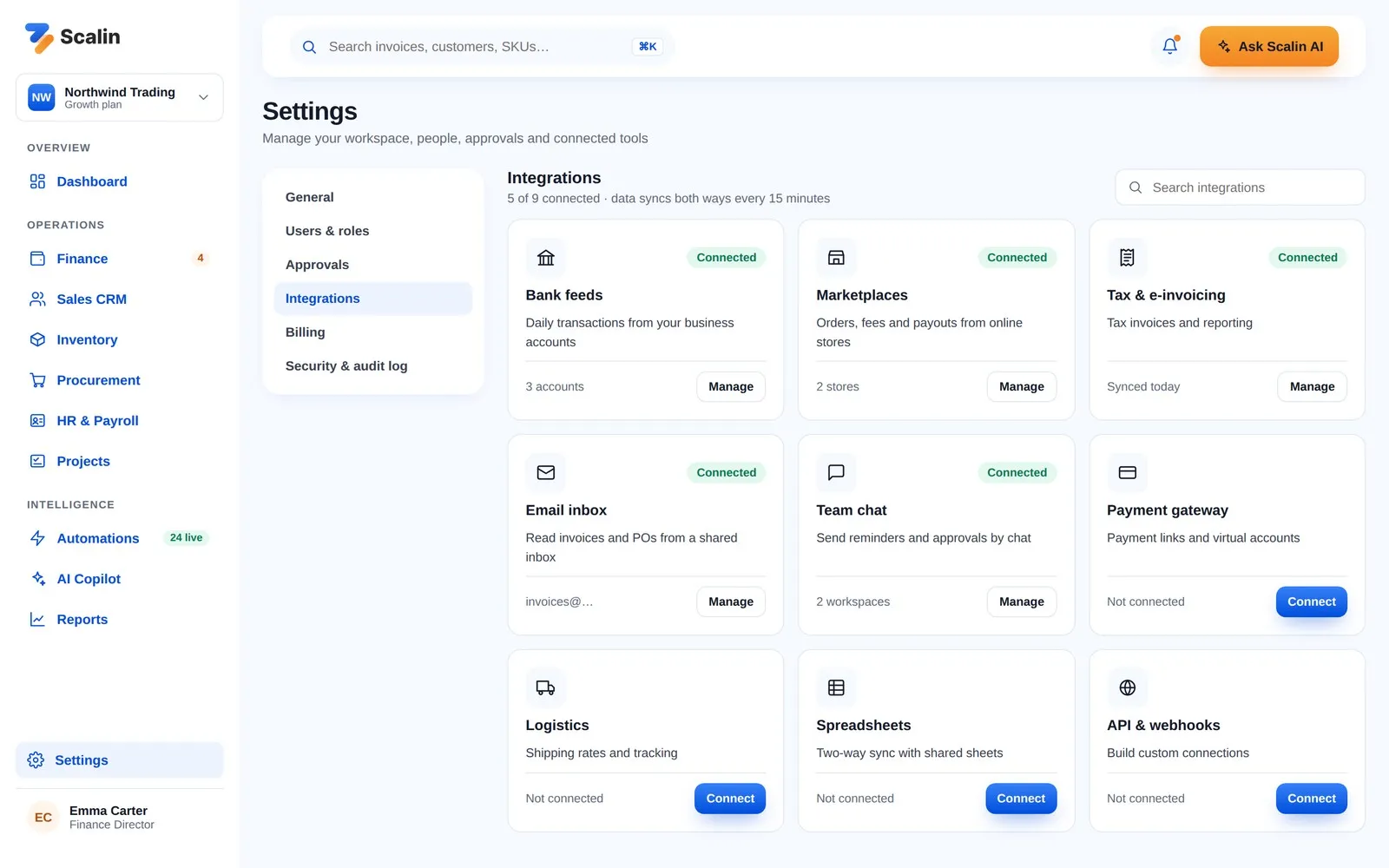
The sign-in screen greets returning users with what their agents handled while they were away. Settings bring together users, approvals, billing, the audit log and integrations with banks, marketplaces, email, chat apps and payment providers.
Closing Thoughts
The Scalin redesign turns a broad early concept into a focused, trustworthy AI product for the back office. By pairing a clear value story with an interface where automation is visible, explainable and always under the user's control, Scalin helps growing businesses do more with the team they already have.
Bumiku
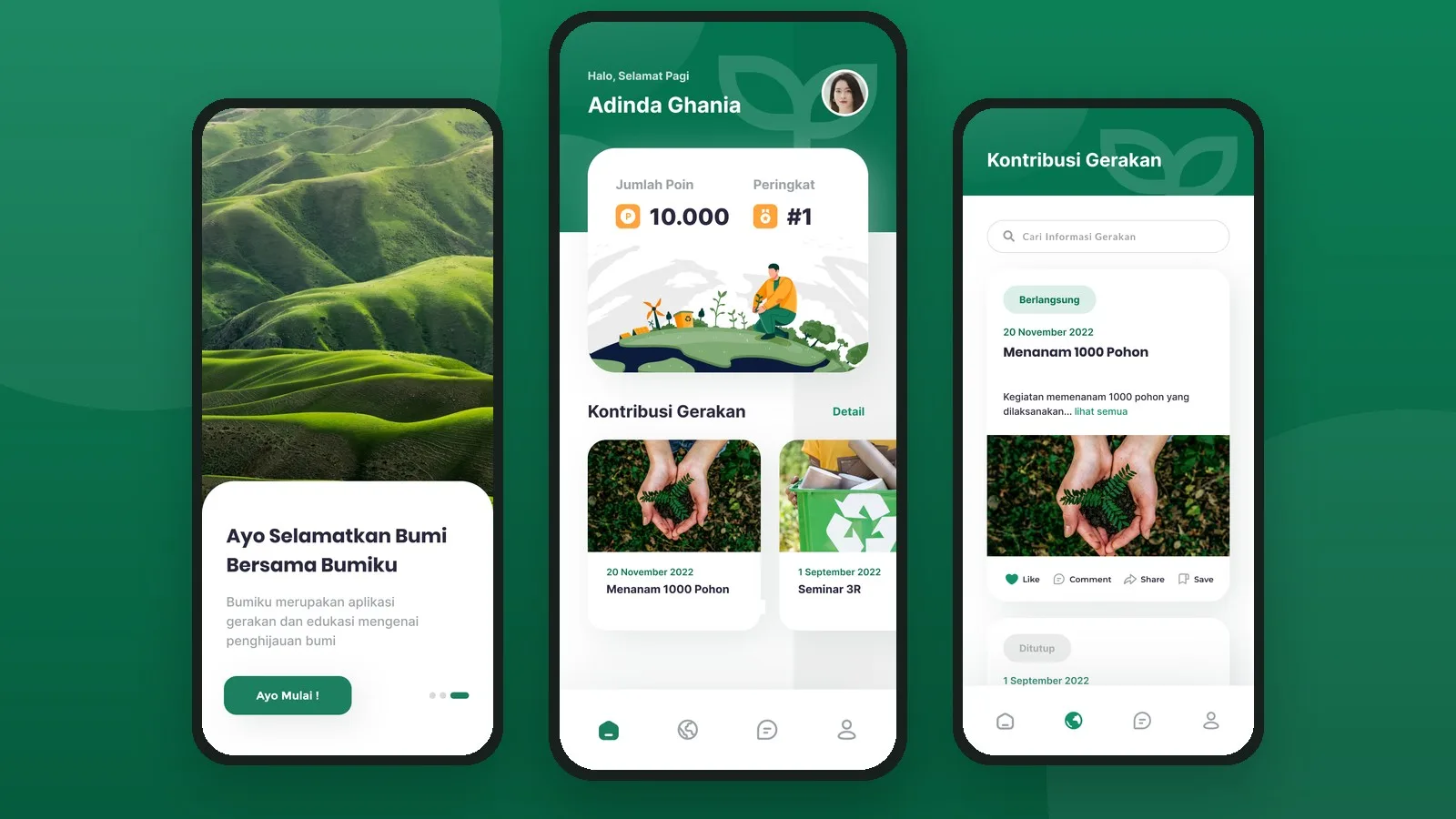
A mobile app design that turns environmental care into a community effort: join green movements, learn through bite-sized content, connect with other volunteers, and earn points you can redeem for rewards.
Panenku
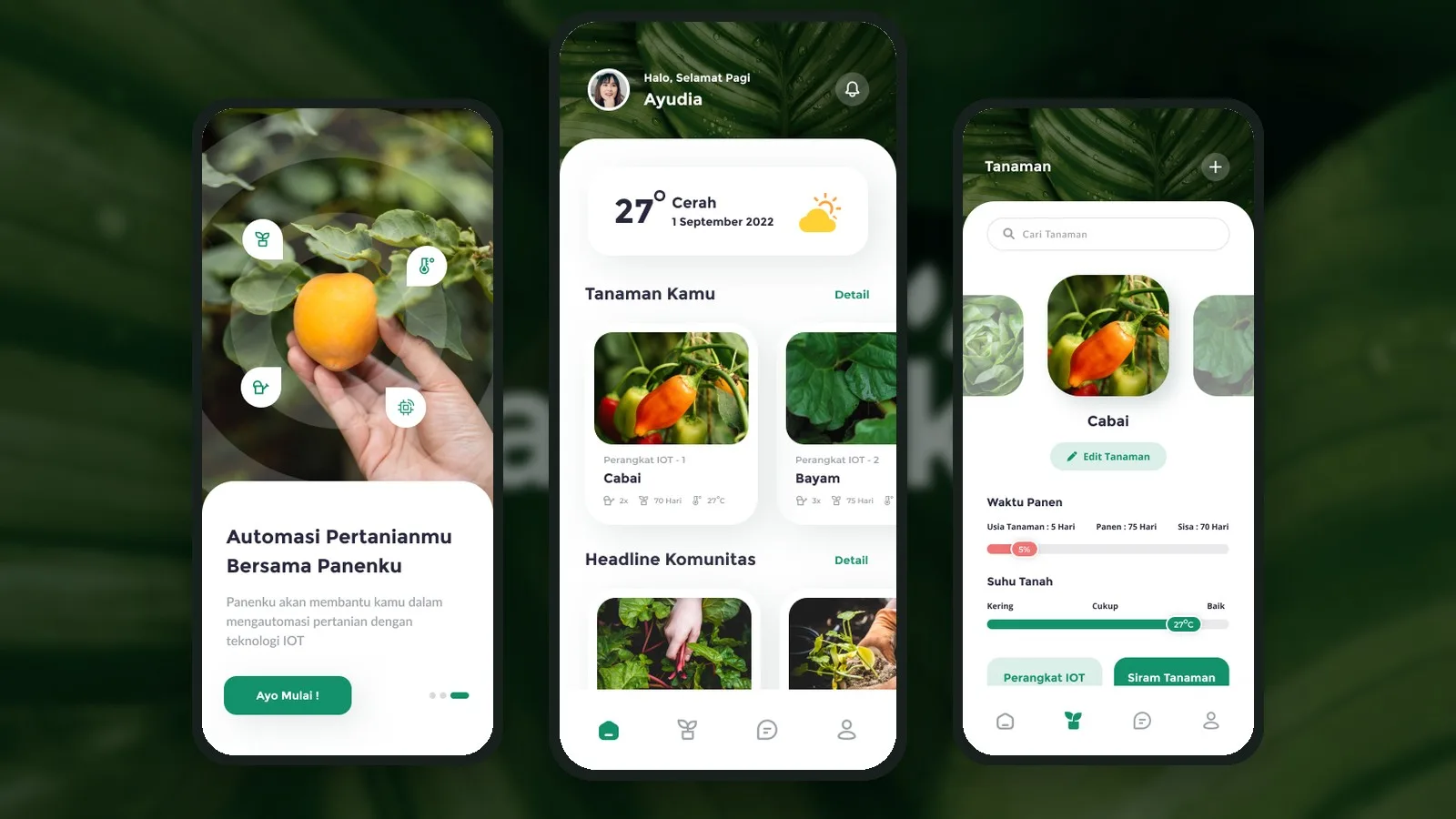
A smart farming app design that connects farmers to IoT devices, so they can monitor soil conditions, track harvest times and water their crops automatically, all from their phone.
Frame Aviation
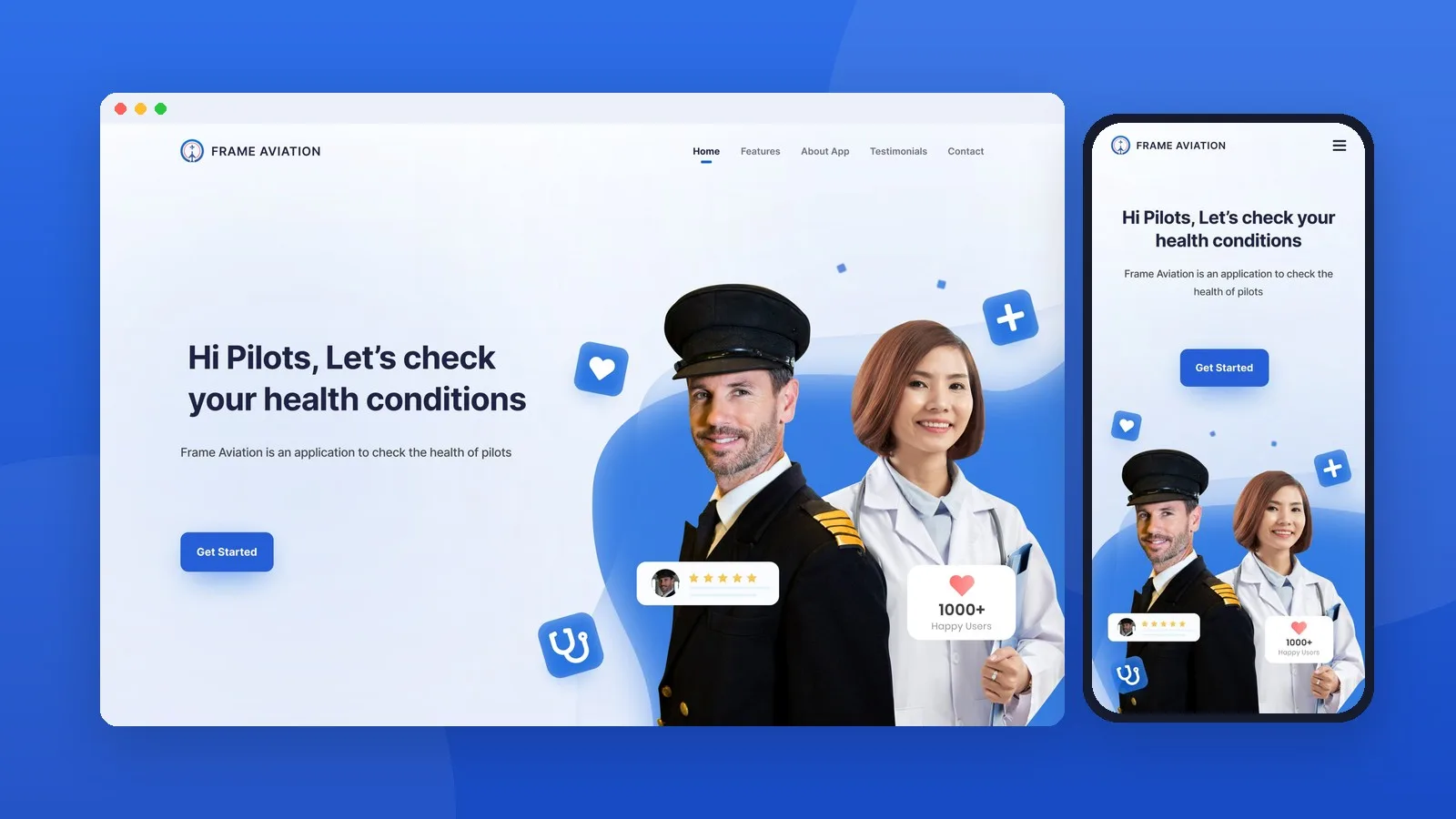
A responsive landing page design for Frame Aviation, a health-check app that helps pilots monitor fatigue, sleep and physical activity.
Finvox
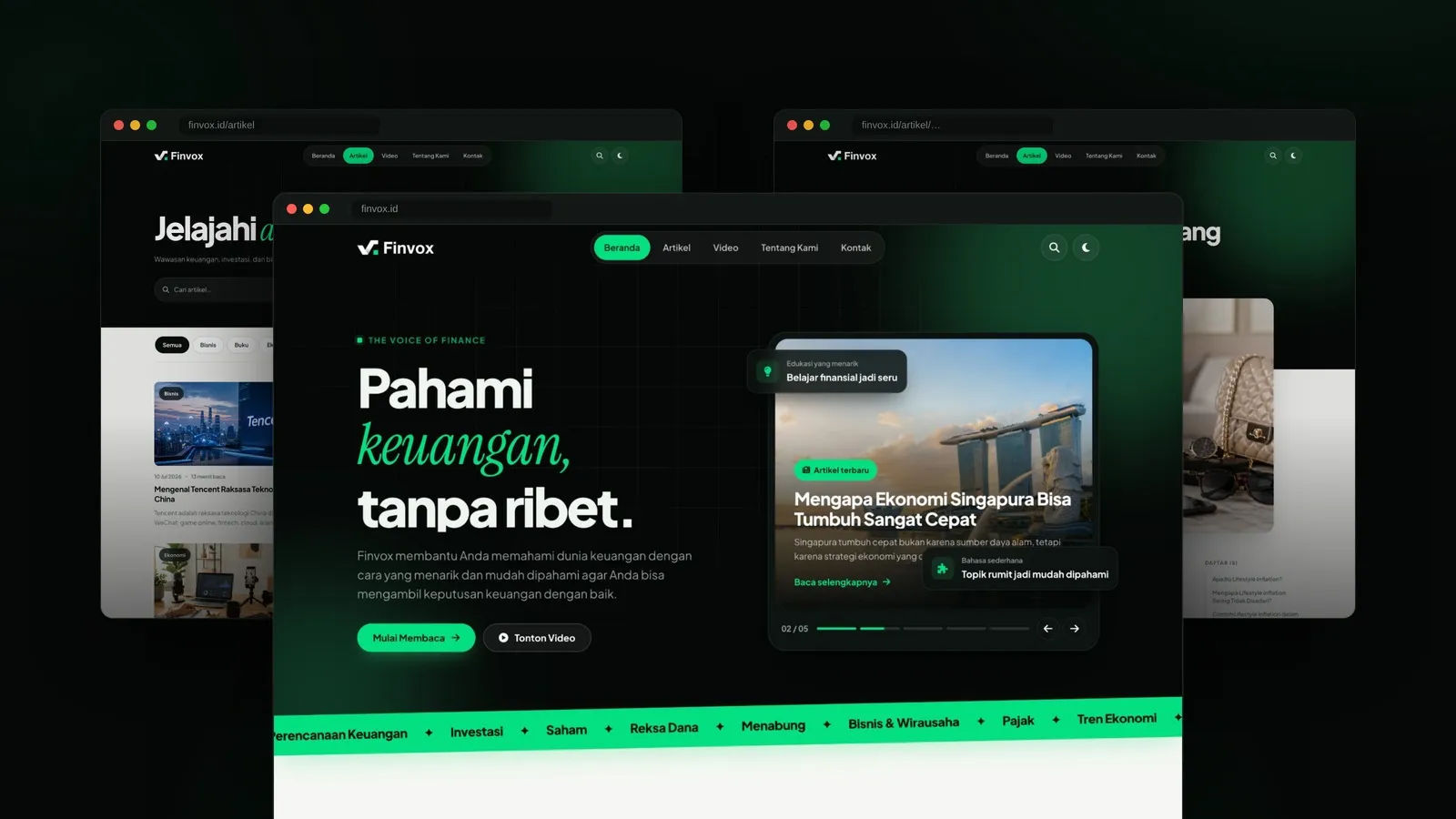
A financial education media website that makes money topics easy to understand, with in-depth articles, short explainer videos and clear categories covering finance, investing, business and the economy.